A little space. A fresh start.
Find your first plant.
Know what to do next.
Choose a plant for your space, see its next care tasks, and keep a record as it grows.
iPhone beta · Features may change.
Open the invitation on your iPhone, install TestFlight if prompted, then return to install TerraSprout. Check device requirements on the invitation.
One plant is a place to start
A small start. A clear next step.


Botanical imagery is AI-generated. The app screens below show example gardens.
01 / Choose a plant
Find a plant for
the space you have.
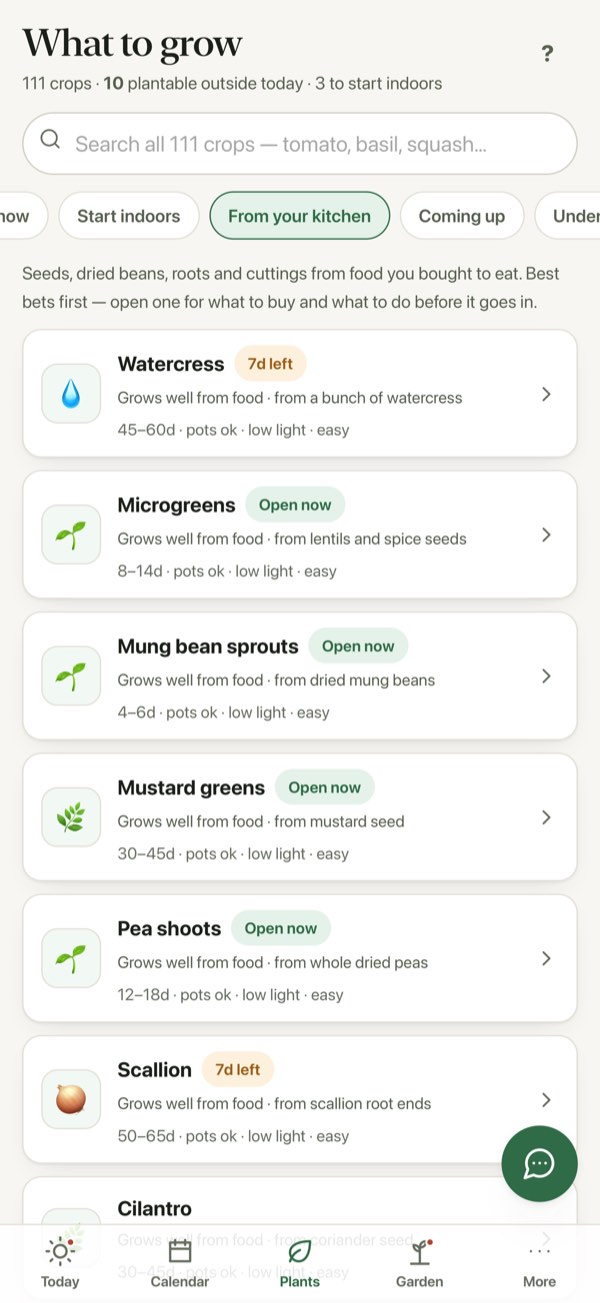
Tell TerraSprout about your space and sunlight, then explore What to grow. Open a crop for growing notes and planting guidance before adding it to your garden.
The “From your kitchen” view includes microgreens, mung bean sprouts and pea shoots. Open a crop in the app for its growing guidance.
Planting windows are guidance. Your location, season and growing conditions matter.
02 / Find the next care step
Open Today.
Choose your next task.
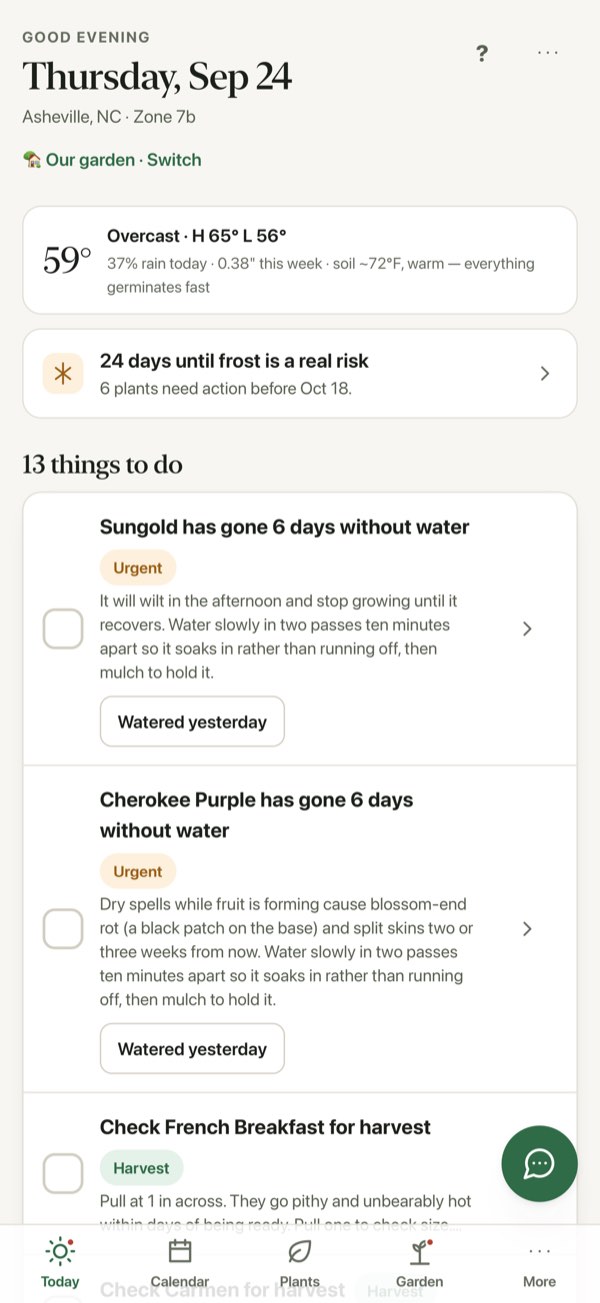
Open Today to see care tasks for your plants alongside weather information. Use it to plan your next check-in, whether that means checking the soil or looking for something ready to pick.
A garden with tomatoes and radishes brings watering, frost and harvest checks into the same view.
Always check the plant and soil yourself. Weather and care guidance can’t see every condition in your garden.
03 / Track its progress
Watch your first plant take shape.
Add what you’re growing and follow its progress. Add photos as your plant grows, then play them back in its photo timeline.
Your own photos tell your plant’s story, one check-in at a time.
Need help keeping your garden data? Read the current guidance →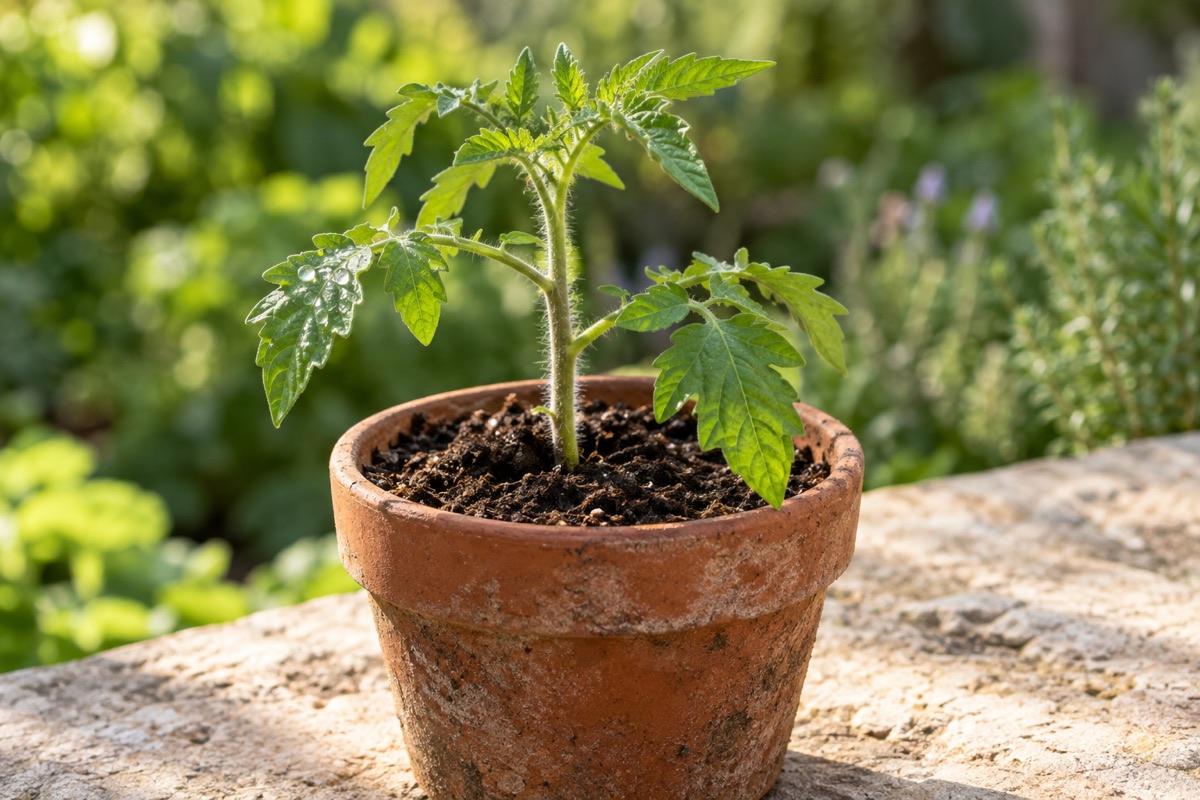
Come grow with us
Your next step:
one small plant.
Try TerraSprout on your iPhone through Apple’s TestFlight. It’s a beta: features may change as we learn what helps people get growing.
- Open the invitation on your iPhone.
- Install Apple’s TestFlight if prompted.
- Return to the invitation to install TerraSprout.
Will it work on my iPhone?
Check the current requirements on the TestFlight invitation before installing. The beta’s availability and device requirements may change.
How do I get updates?
Check TerraSprout in TestFlight for new builds. You can choose whether to enable Automatic Updates in TestFlight.
What if I get stuck?
Visit Help, or email ayden@terryadvisors.com. Tell us what you were trying to do and what happened.